 Shoopy
 Labels and pickups, two clicks
Generate the label, book the pickup, and the tracking number attaches itself to the order.
Counter, website, app and WhatsApp orders land in the same list, against stock that is counted per location and updated the moment anything sells.
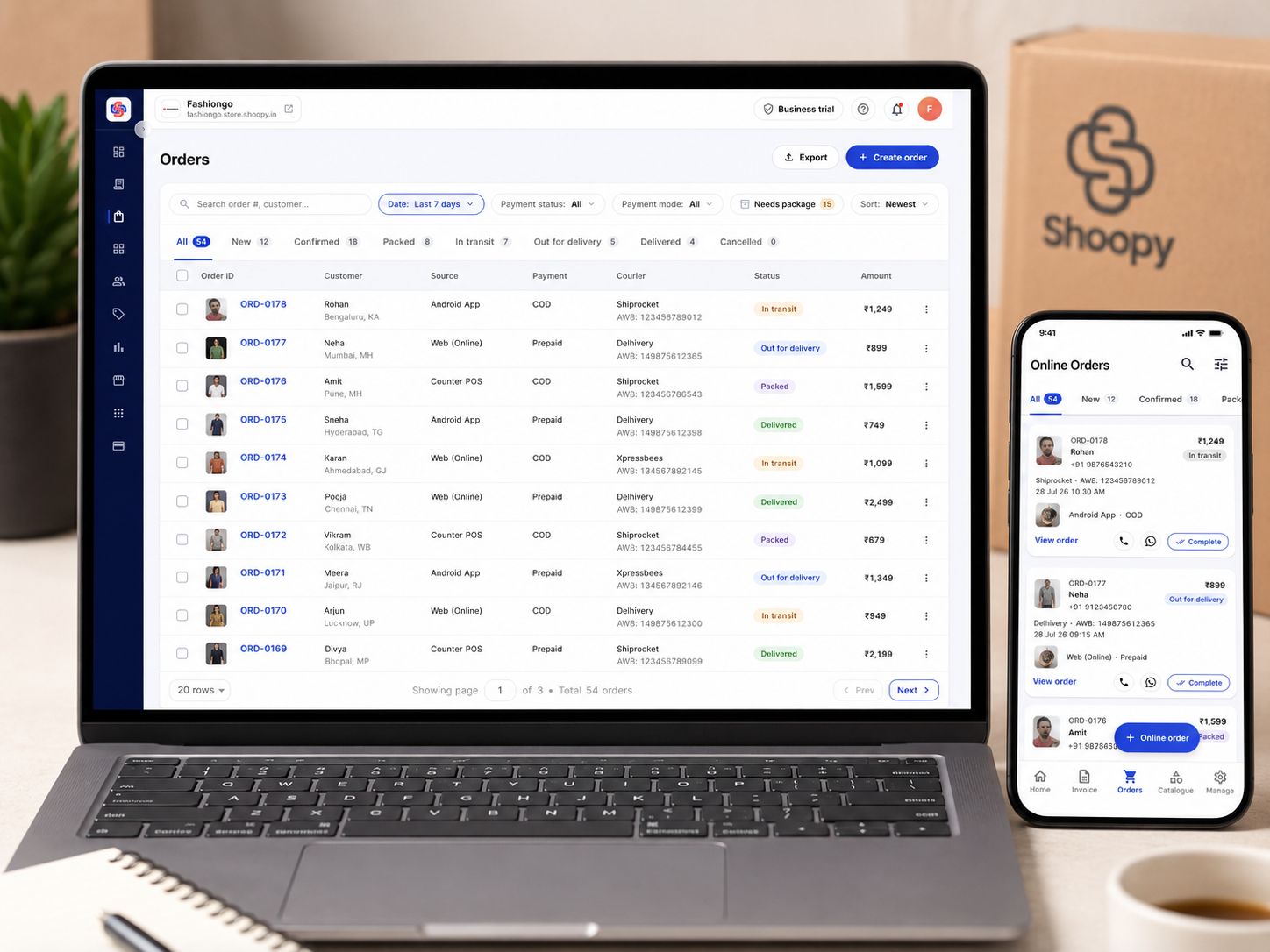
Shoopy keeps every channel's orders in one queue against stock counted per shop and warehouse in real time — so what is promised online is actually on the shelf.
No tab-hopping between the website's orders, the app's orders and the WhatsApp thread. One queue, with the stock count standing behind it.
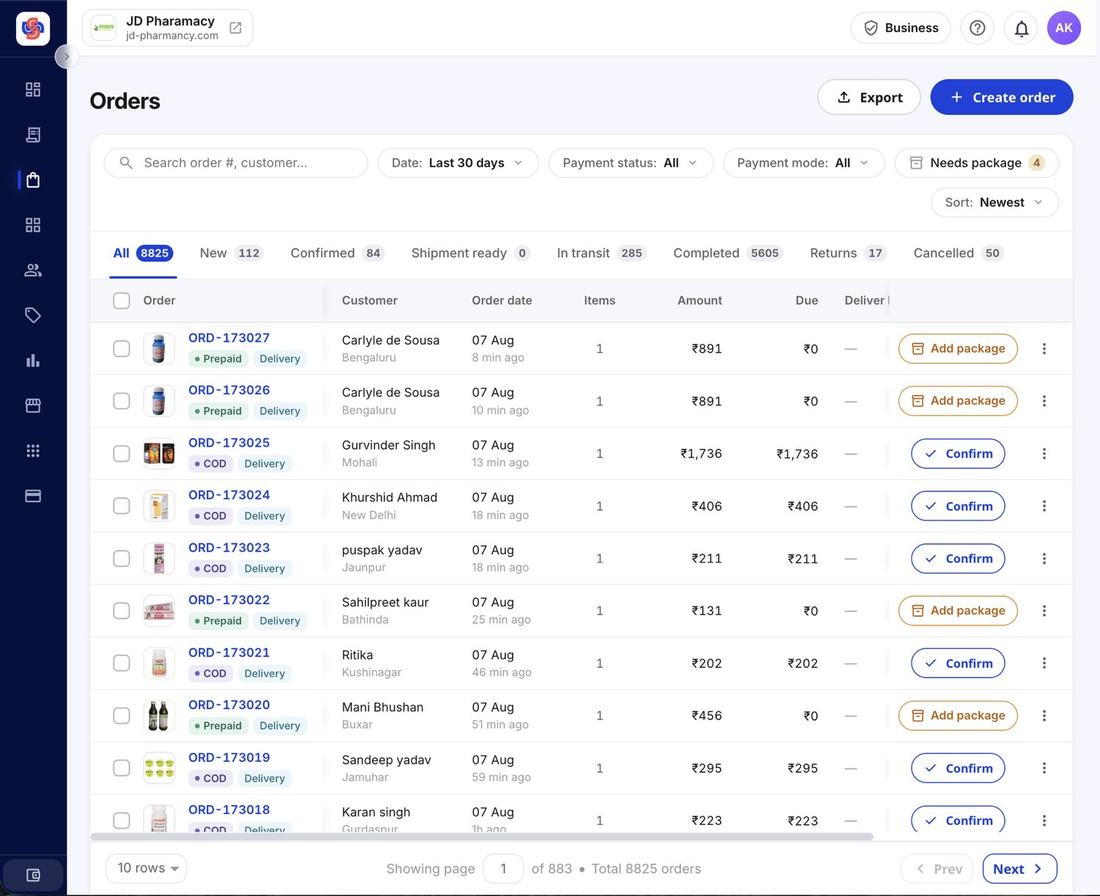 Online · POS · App · one queue
 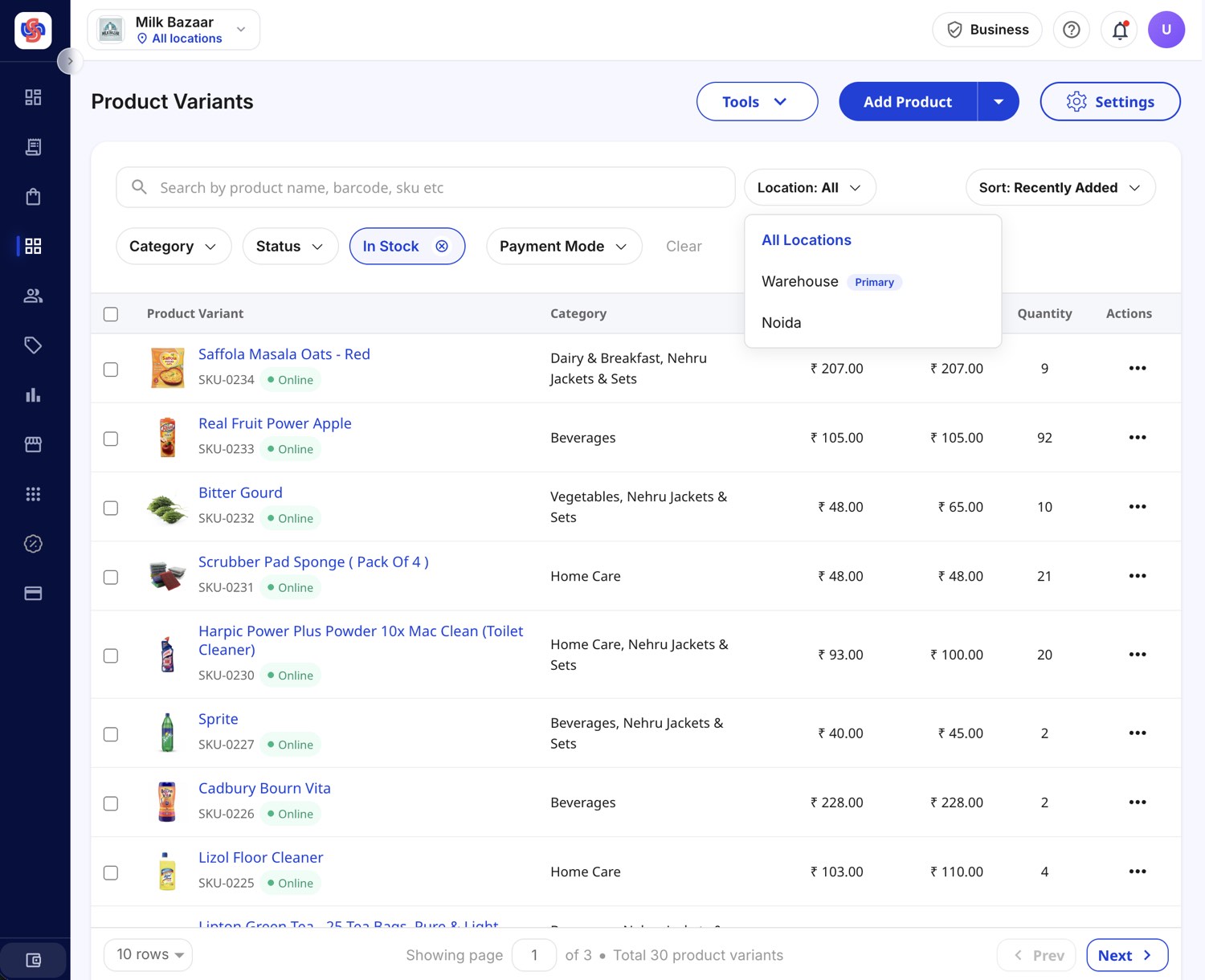 Per-location stock · synced
 Not a monthly stock-take — a running count that moves with every sale, return and adjustment, wherever it happens.
Shiprocket and Delhivery are built in — labels, pickup booking and tracking from inside the order — with more couriers available from the Shoopy app store.
Generate the label, book the pickup, and the tracking number attaches itself to the order.
Return requests come into the same queue; approve, track and refund without a side spreadsheet.
Sales by day, week and month, top products and dashboard KPIs — exportable when the CA asks.
Your website, your branded app, WhatsApp and the counter — plus orders you create manually — all in one queue, filterable by channel and status.
Shiprocket and Delhivery are built in for labels, pickups and tracking. More couriers — Blue Dart, Xpressbees, Porter and others — install from the Shoopy app store.
Yes. Each size and colour carries its own count, and the count moves in real time with sales, returns and manual adjustments.
Set a minimum per product; when the count crosses it, you are notified — before the shelf is empty, not after a customer finds out.
Yes. Orders, stock and reports are all in the Shoopy business app, so the evening's packing list does not need a desktop.
Return requests land in the same queue as orders. Approve or decline, track the item back, refund against the original payment — and the stock count is corrected.
Bring last week's order list to a demo. We will run it through the queue — packing, labels, returns — and you can time it.