 Shoopy
 Delivery zones and slots
Draw your zones, set charges per zone, and promise 10-minute, 30-minute or 1-hour windows where you can keep them.
Delivery zones, time slots and a rider app under your own brand — so the customers the quick-commerce apps are courting stay yours.
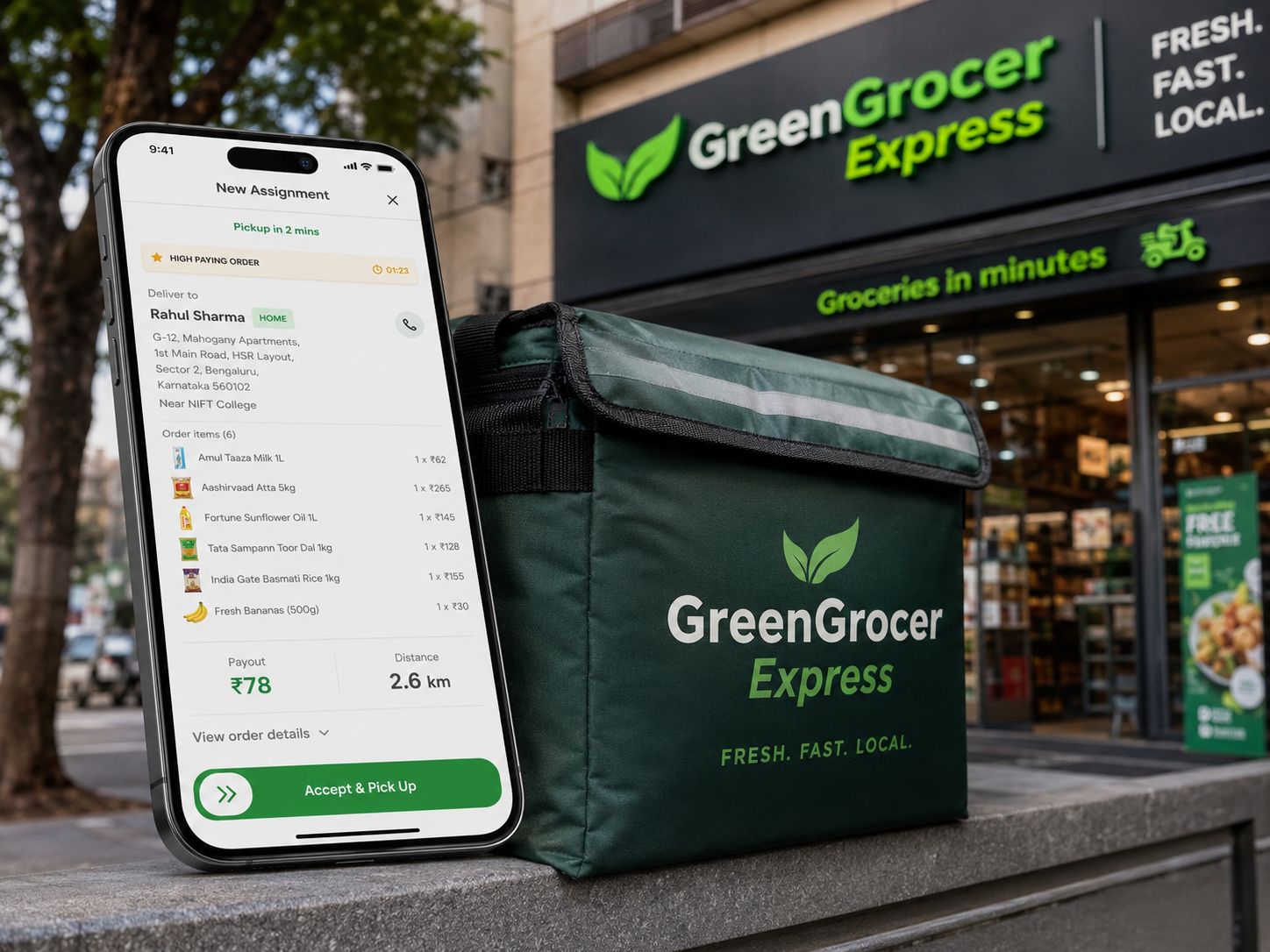
Shoopy for quick commerce puts your grocery store online with delivery zones, slots and your own rider app — under your brand, on a flat yearly plan — in India, with 0% commission up to your plan's order limit.
List on a quick-commerce app and the buyer, the data and the margin belong to the platform. Your own store keeps all three.
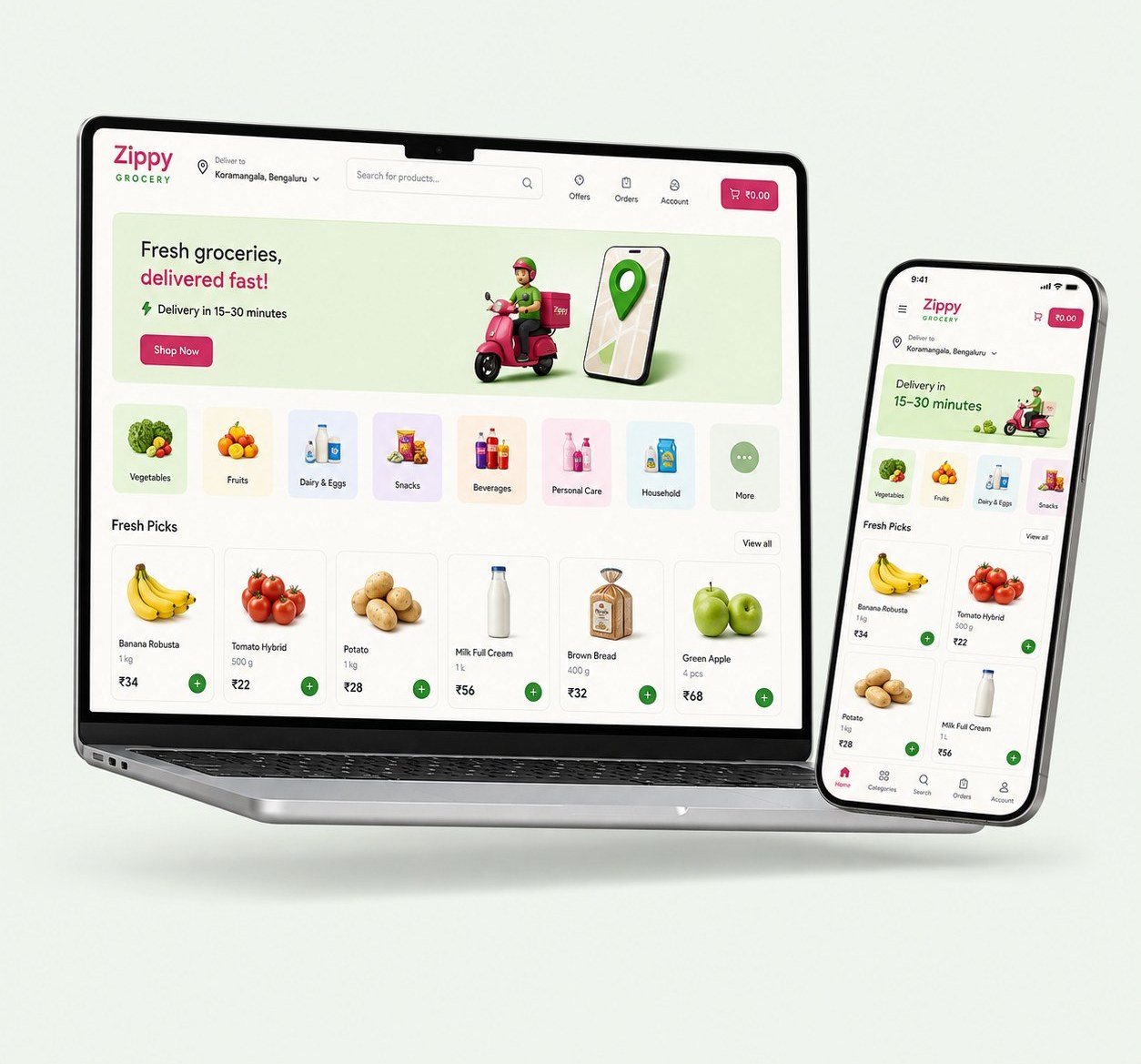 Zippy theme · built on Shoopy
 Quick commerce is a different shape of shop — small baskets, tight radius, the same customers every week. The tooling matches.
How orders and stock stay in stepDraw your zones, set charges per zone, and promise 10-minute, 30-minute or 1-hour windows where you can keep them.
Riders get their assignments live, with the customer's address and details; customers see the order moving, and delivery is confirmed at the door with the customer's OTP and a photo of the packet. It is the Shoopy Delivery Partner App on Google Play, and riders join by invitation from your store admin.
Counts move with every sale, at the counter and online — so the app never sells the last packet twice.
Category-first layouts like Zippy, Minto and Freshgo — quick-add buttons, not lookbooks.
Order alerts to you, confirmations and delivery updates to the customer, automatically.
A branded app with push notifications — the weekly reorder is one tap, not one search away.
Grocery and fresh-produce stores, each under its own name, delivering to its own neighbourhood. What we say about each is what its own site says.
Tenat delivers daily essentials in minutes from its Shoopy store, with its own Android and iOS apps under the Tenat name.
Read the Tenat storyFreshMandi sells fresh produce from its website and its own Android and iOS apps, all on one Shoopy store.
HY Mini Mart takes grocery orders online with same-day or next-day delivery by serviceable pincode, and a WhatsApp number for the shop.
Also on Shoopy: Grosale with its branded Android app, UBB Bazaar in Bengaluru, and Souq Al Fresh in Abu Dhabi, delivering in four slots a day.
How the quick-commerce platforms compare, from their own pages
Zippy, Minto or Freshgo, in your colours, with your name on it.
Products in bulk from a spreadsheet, with stock counts that stay live from day one.
Draw the delivery area, set the slots and charges, connect payments — and share the link.
You define zones around the store, each with its own delivery charge and promised window — 10 minutes, 30 minutes or an hour. Customers outside the zones see the store but not the fast slots.
A delivery app of their own: new assignments arrive live, with the customer's address and details. Delivery is confirmed with the customer's OTP and a photo of the packet. You see every rider's day; the customer sees the order moving.
In India, 0% commission up to your plan's yearly order limit. Past the limit, 0.3–1% depending on plan — and never more than ₹5 an order. The pricing page states every number.
Yes — your own store is a channel, not an ultimatum. Many stores run both and steer the regulars, week by week, to the channel that keeps the margin.
No. Themes, zones, slots and payments are all dashboard settings. If you want it done for you, store setup by our team is available.
A thirty-minute demo — delivery zones drawn around a store like yours, and what the first week looks like.