 Shoopy
 Best franchise management software for retail in India (2026)
Three franchise management software options for retail in India, what each one runs, and how to choose by outlet ownership, royalties and GST billing.
Quick Answer: LOGIC ERP, Gofrugal and FranConnect are three franchise management software options to compare for retail in India. Decide whether you need help running billing and stock at each outlet, or the whole franchise relationship. Shoopy covers the outlet side: store-level stock, location-based ordering and order routing across a brand’s own outlets.
Franchise management software is the system a franchisor uses to run outlets that sell under its brand. For a retail franchise, it covers billing at each counter, stock at each outlet, head office prices and what each outlet owes. This guide compares three options from their own pages, in no order of rank. A fourth row shows where Shoopy fits.
Which franchise management software suits a retail franchise in India?
Three options to compare in India are LOGIC ERP, Gofrugal and FranConnect, and each covers different jobs. Each row below comes from the vendor’s own page, as of October 2026.
| Software | What its own page lists | Ask the vendor |
|---|---|---|
| LOGIC ERP | As of October 2026, LOGIC ERP’s retail franchise page lists royalty management, stock counted across outlets with transfer orders, outlet audits, and COCO, COFO, FOFO and FOCO outlet models | Which outlet models your plan covers |
| Gofrugal | As of October 2026, Gofrugal’s retail franchise page lists central price rules, and accounting that the franchisor runs centrally or each franchisee runs with its own GST filing | How a franchisee files GST on its own |
| FranConnect | As of October 2026, FranConnect’s buyer guide says it is designed for franchise and multi-location organisations, across the franchise lifecycle: development, openings, operations, training, quality and royalties | Whether it supports outlets in India, and how it connects to your counter billing |
| Shoopy | A brand that owns and runs several shops, bills at each counter and sells online from one catalogue. Plans and current prices are on the pricing page | Whether it supports outlets that franchisees own |
Which tools run outlets, and which run franchisees?
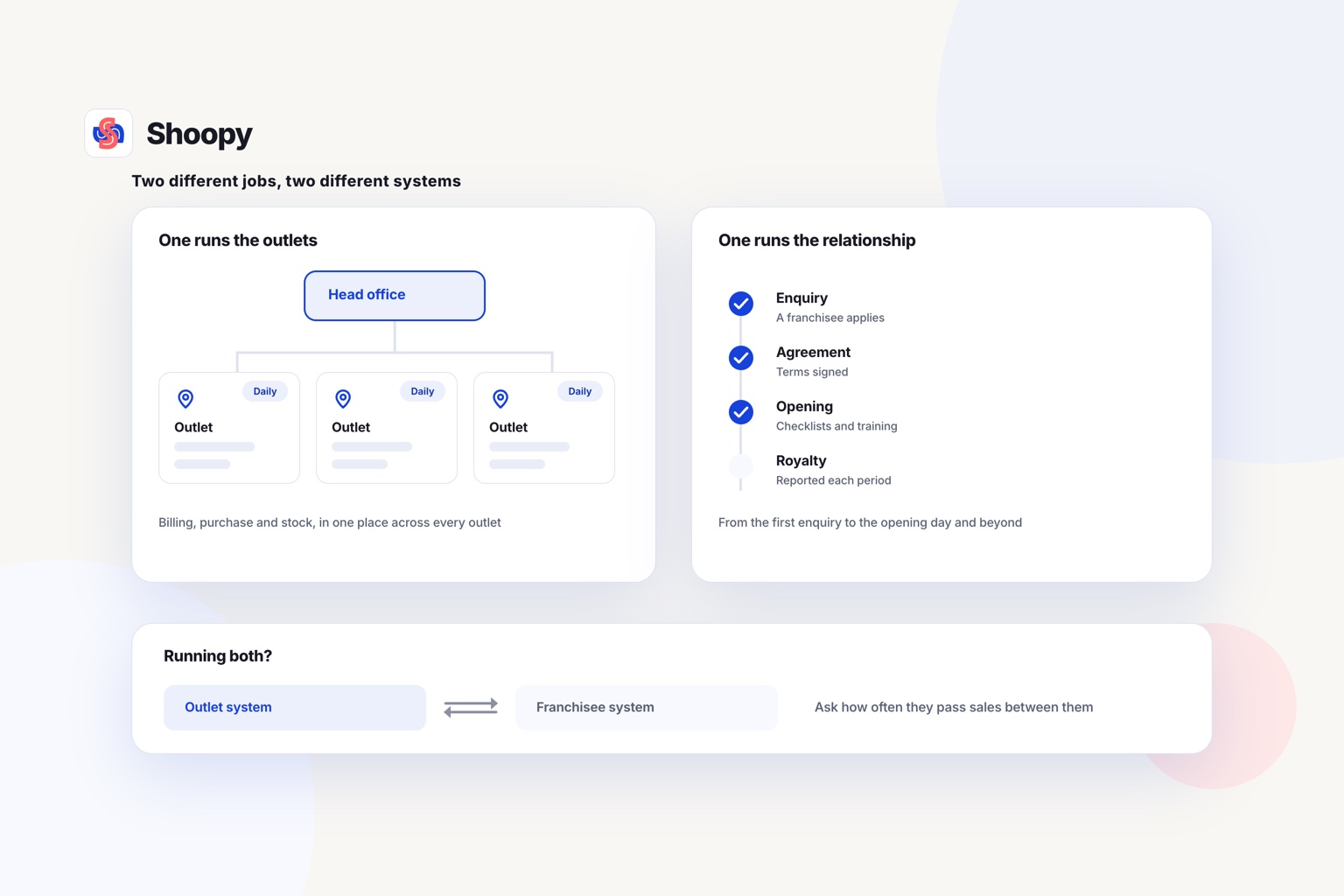
Read each row by the job you need done. Some tools run the daily work of each outlet. Others run the relationship between the brand and its franchisees.
No row is a complete answer for every brand. The next two sections explain the jobs and the two kinds of tool.
What should franchise software do for counter billing, stock, customers and franchisees?
It should do five jobs: bill at the counter, count stock at each outlet, hold one price list, keep customer records and track each franchisee. A tool that misses one job leaves a gap that someone fills by hand.
- Counter billing. Software vendors call this POS (point of sale). It makes the bill, takes the payment and records the sale against that outlet.
- Stock at each outlet. Each outlet keeps its own count of every SKU (stock keeping unit: one size and colour of one product). Sell a pair of shoes at the Pune outlet, and only the Pune count should fall by one pair.
- One price list. Head office sets each price once. An outlet that edits its own prices breaks the brand’s promise of one price everywhere.
- Customer records. A CRM (customer relationship management) list holds each buyer’s phone number and purchases. Agree in writing whether the brand or the franchisee owns that list.
- Franchisee records. Each franchisee has an agreement, a start date, royalty terms and a contact person. Keep them in one place, not in separate email threads.
Test the first two jobs with your own products before you sign anything.
Franchise ERP or franchise lifecycle platform: which one do you need?
Choose a franchise ERP if your problem is daily billing and stock; choose a lifecycle platform if it is signing, opening and supervising franchisees.
What does a franchise ERP do?
An ERP (enterprise resource planning) system keeps billing, purchase, stock and accounts in one database. A franchise ERP adds head office control over prices and reports from every outlet. It suits a retail brand whose outlets sell many products and reorder stock every week.
What does a lifecycle platform do?
A lifecycle platform follows a franchisee from the first enquiry to the opening day and beyond. It tracks recruitment, opening checklists, training, audits and royalty statements. It suits a brand that signs new franchisees often and must check standards at each outlet.
When you need both
Some brands use one of each. In that case, ask how the two systems share outlet data, such as daily sales for the royalty. If the answer is a monthly spreadsheet, the two systems will disagree.
Does the ownership model change the software you need?
Yes, because the owner of an outlet decides who bills, who owns the stock and who files the tax return. Four short names describe these models.
- COCO: company owned, company operated. The brand owns and runs the outlet.
- COFO: company owned, franchise operated. The brand owns the outlet, and a franchisee runs it.
- FOFO: franchise owned, franchise operated. The franchisee owns and runs the outlet.
- FOCO: franchise owned, company operated. The franchisee owns the outlet, and the brand runs it.
In a COCO network, one business bills every sale, so one set of books covers all outlets. In a FOFO network, each outlet is a separate business with its own bills, stock and accounts.
In a FOFO network, stock that leaves the brand’s warehouse for an outlet passes to another business. The software should record that move as a sale, with its own invoice. Ask your CA (chartered accountant) how each move is billed in your model.
How should franchise software handle royalties and GST bills in India?
It should work out each outlet’s royalty from its own billed sales, and print each bill under the business that owns the outlet.
How is a franchise royalty handled?
A royalty is the regular payment a franchisee makes to the franchisor under the franchise agreement. The agreement sets it, as a share of sales or as a fixed amount. When it is a share of sales, read the figure from each outlet’s billed sales, not from a form the franchisee fills in.
How are GST bills handled for each outlet?
In India, rule 46 of the CGST Rules says a tax invoice must show the supplier’s name, address and GSTIN (Goods and Services Tax Identification Number). The same rule asks for consecutive invoice numbers, unique for each financial year.
So a franchisee-owned outlet bills under the franchisee’s own GSTIN, with its own number series. Check that the software can hold a different GSTIN and series for each outlet.
What goes wrong when each outlet runs its own system, and how do you stop it?
Four things go wrong: prices drift, stock counts disagree, royalty figures are disputed and head office learns about problems late. Each has a fix.
Prices drift
One outlet runs its own discount, and a buyer sees two prices for one product. Set every price at head office, and let outlets sell only at that price.
Stock counts disagree
Head office sends twenty units to an outlet, but the outlet’s system never records them. The brand then reorders stock that is already on the shelf. Record every delivery to an outlet on the day it arrives.
Royalty figures are disputed
The franchisee reports sales on a form, and head office does not trust the figure. Work out the royalty from the bills the outlet’s counter has already made.
Head office learns late
Each outlet sends a sales sheet at the end of the month. A slow outlet or a stock problem shows up weeks after it began. Read each outlet’s sales every day from its counter billing.
Which kind of software fits which retail franchise?
The right fit depends on two facts: who owns your outlets, and whether your problem is daily operations or the franchise relationship.
- You sign new franchisees every month and must check standards at each outlet. Look at a lifecycle platform, and read the FranConnect row in the table.
- Your franchisees run their own billing, purchase and accounts. Compare the Gofrugal and LOGIC ERP rows, and ask how each one handles a franchisee’s GST filing.
- You run a few shops under one brand and sell online as well. Look for counter billing, stock counted at each shop and one online store on one catalogue.
A brand with a few shops of its own
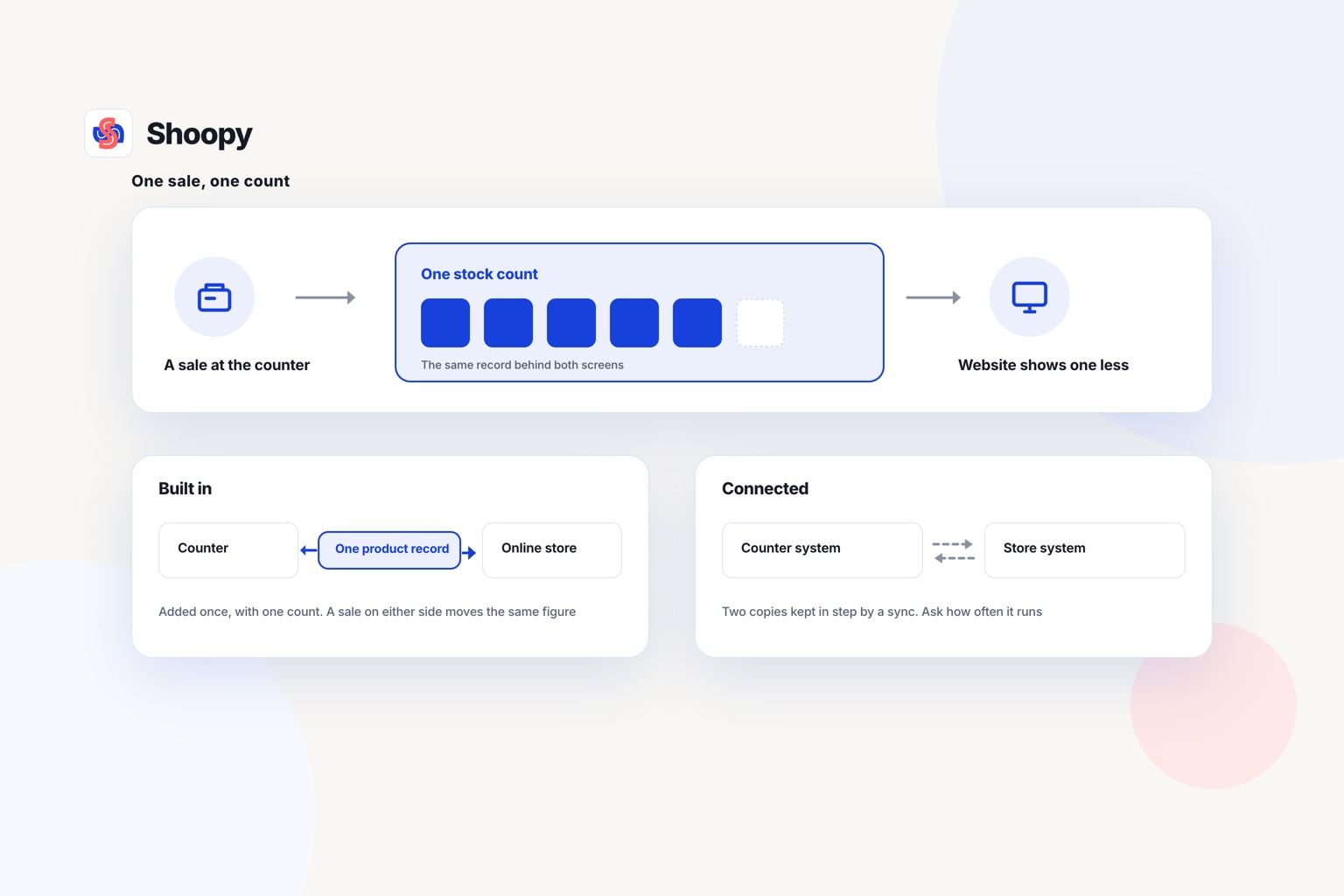
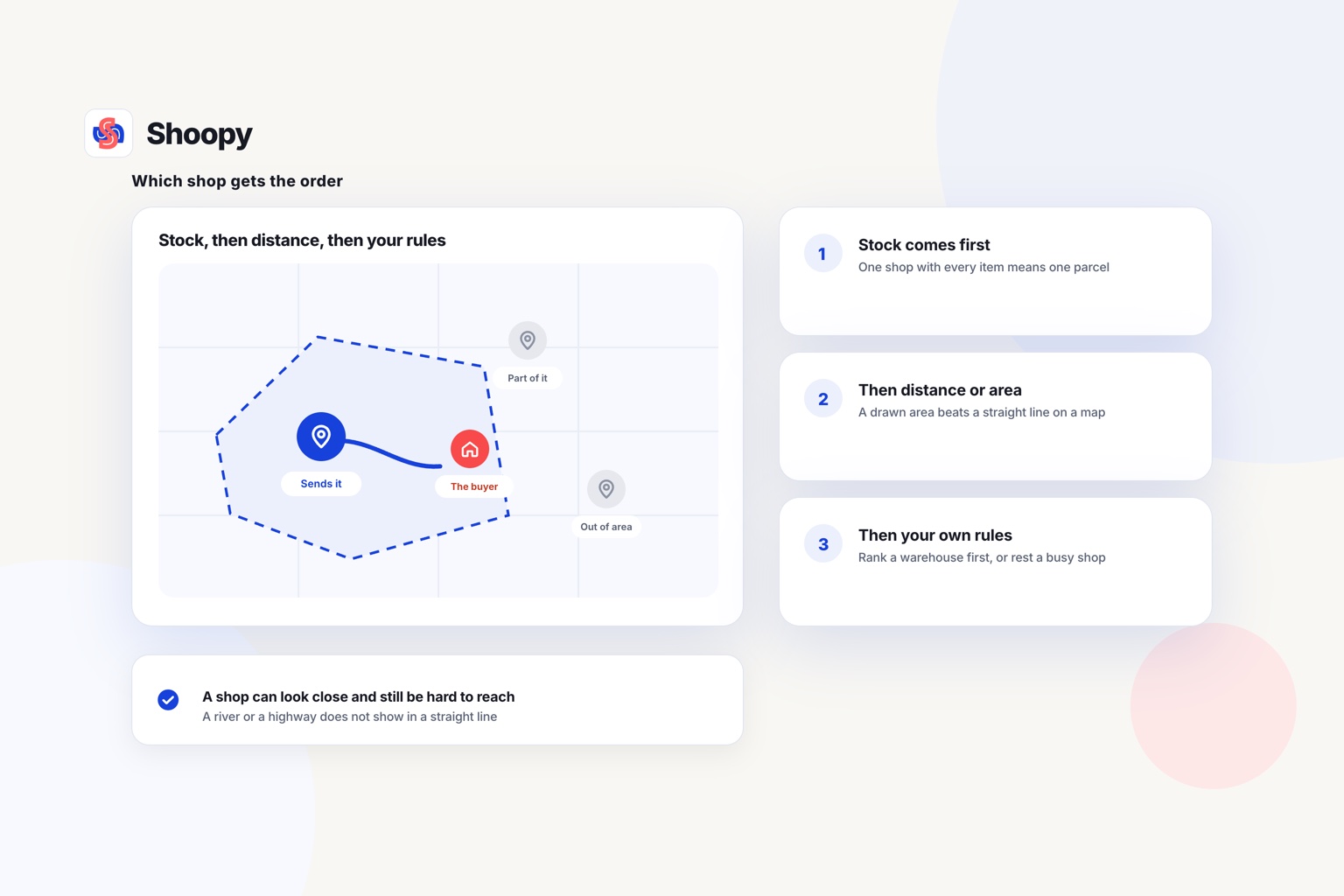
Shoopy works the last way. Store-level inventory keeps a separate count at each shop, and counter billing at each shop makes GST invoices with CGST, SGST or IGST and an HSN code on each line. Location-based ordering shows the customer the stock of the shop that serves their area, and order routing sends the order there.
Two things are worth stating plainly. A brand that needs franchisee recruitment, audits and training records should choose a lifecycle platform instead. And stock that head office sends to an outlet is entered in two steps, out of one count and into the other: a Stock Out at the sending shop and a Stock In at the receiving one.
If you are still choosing a platform for a brand with several shops, this comparison of platforms for retailers with more than one shop sorts them by size of business.
If your outlets still send their sales to head office on a spreadsheet, see how one catalogue and per-shop stock run every outlet. You can book a demo from that page.
Frequently asked questions
What is the difference between a franchisor and a franchisee?
The franchisor owns the brand and the way the business runs. The franchisee signs a franchise agreement to run one or more outlets under that brand, and pays fees or a royalty in return. In a FOFO outlet, the franchisee also owns the outlet, its stock and its own bills.
Who owns the customer data in a franchise network?
Settle it in the agreement before you choose software. In most networks the brand owns the customer list and each franchisee sees only its own outlet’s customers. Check that the software can show an outlet its own data without opening the whole network, because that is the setting disputes turn on later.
Can a franchisee keep its own billing software?
It can, but head office then needs every outlet’s sales and stock sent across from another system. Ask how often the data moves, and in what format, such as a CSV file. A daily transfer leaves a gap of up to 1 day, in which prices and stock counts can differ.
Does a restaurant franchise need different software from a retail franchise?
Partly. A restaurant outlet needs KOT (kitchen order ticket) printing, so each order reaches the kitchen as soon as it is billed. A retail outlet needs sizes, colours and barcodes for each product instead. Both need one price list from head office and sales reports from each outlet.
How do you add a new outlet to franchise software?
Add the outlet, then enter its opening stock count before it sells anything. Give its staff their own logins, so each person sees only that outlet. Print 1 test bill and check that the outlet’s GSTIN and invoice number appear on it. Then place 1 test order online.