 Shoopy
 Retail POS software in India with an integrated online store (2026)
Retail POS software in India that also runs an online store from one stock count. Four systems compared, how each charges, and the GST fields to check first.
Quick Answer: Shopify POS, Gofrugal, QueueBuster and Shoopy are four retail POS options in India that also run an online store. Check that counter and website sales reduce one stock count, and that each bill carries your GST fields. Shoopy runs counter billing and the online store from one catalogue, and its bills carry CGST, SGST or IGST with HSN codes.
A retail POS (point of sale) system is the software and hardware you use to bill a customer at the counter. When the same system also runs your online store, it is a POS with ecommerce, and one sale anywhere changes one stock count. The options below are listed in no order of rank.
Which retail POS software also runs its own online store?
Four options are compared here: Shopify POS, Gofrugal, QueueBuster and Shoopy. Each row is read from that vendor’s own page.
Read who each one is built for before you read the fees. A system built for a large chain can carry more features and costs than one shop needs.
| Platform | Built for, online store and fees (from the vendor’s own page) |
|---|---|
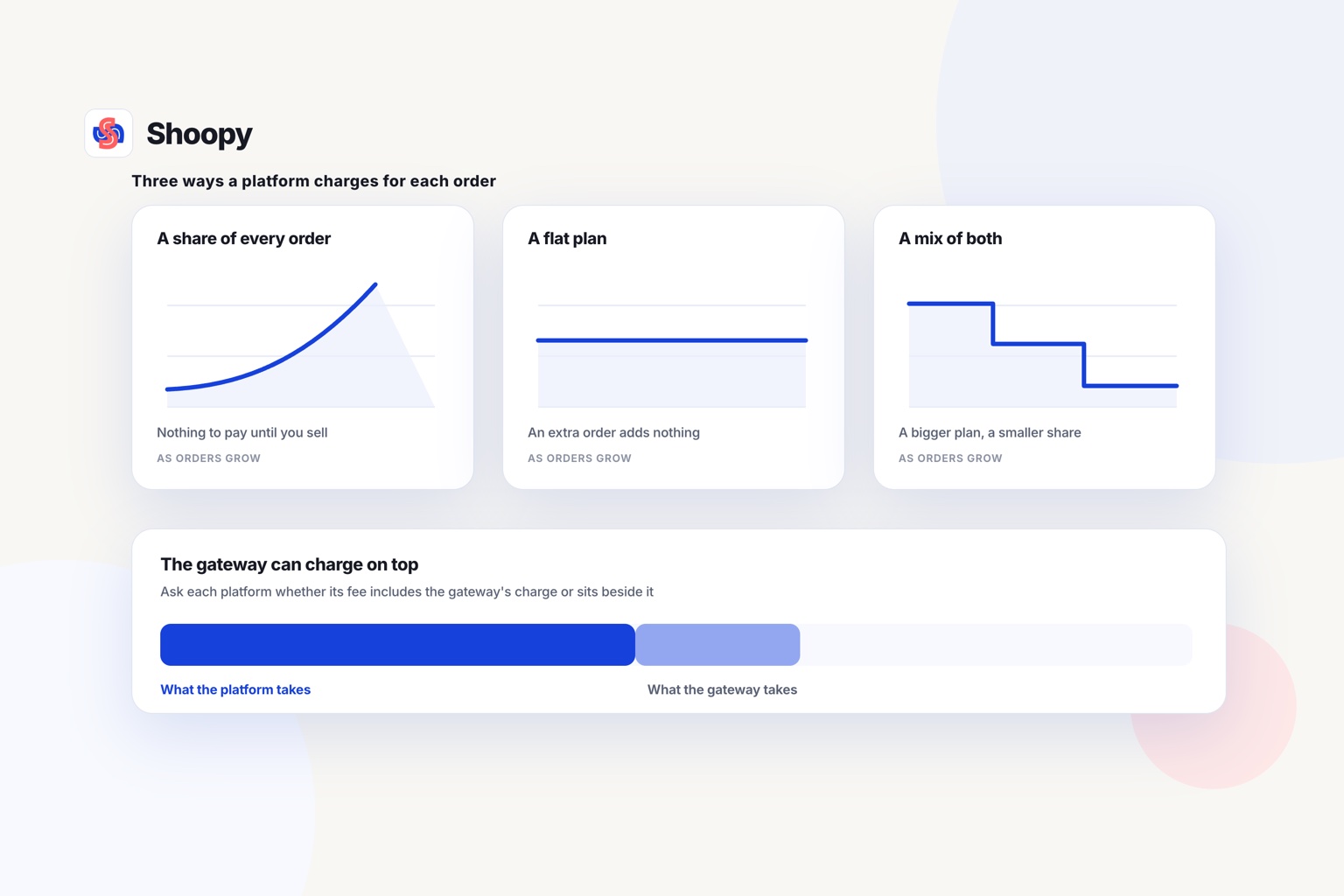
| Shopify POS | As of October 2026, Shopify’s POS pricing page says one back office runs selling in person and online, for 1,000+ shops. Casual in-person selling comes with every paid plan, and POS Pro, which adds inventory management and omnichannel selling, is a monthly fee for each shop. Payments through third-party providers carry 2% (Basic), 1% (Grow) or 0.6% (Advanced). The page says the software works in nearly every country, but Shopify’s own payments and hardware only in select regions. |
| Gofrugal | As of October 2026, Gofrugal’s POS software page describes going omnichannel by integrating the POS with online platforms, so customers can shop online and pick up or return in store, with real-time inventory updates. It lists OrderEasy for online ordering and custom apps, GoDeliver for delivery and ONDC, and third-party ecommerce integrations rather than a store of its own. |
| QueueBuster | As of October 2026, QueueBuster’s India page describes a POS and billing system built for billing, inventory management, payments, online store integration and loyalty, and says store operations are managed in one place whether online or offline. The online store is listed as an integration, not a built-in storefront. |
| Shoopy | Shops that bill at a counter and sell online from one catalogue. Plans and current prices are on the pricing page. |
Two questions to ask first
Two questions narrow the choice. Is the online store built into the system, or an integration you have to connect? Do you run one shop, or several shops and a warehouse? The answers decide whether you need POS software for a retail shop alone, or billing software with inventory that a website and an app read from as well.
Built in or connected: how does a POS with ecommerce keep one stock count?
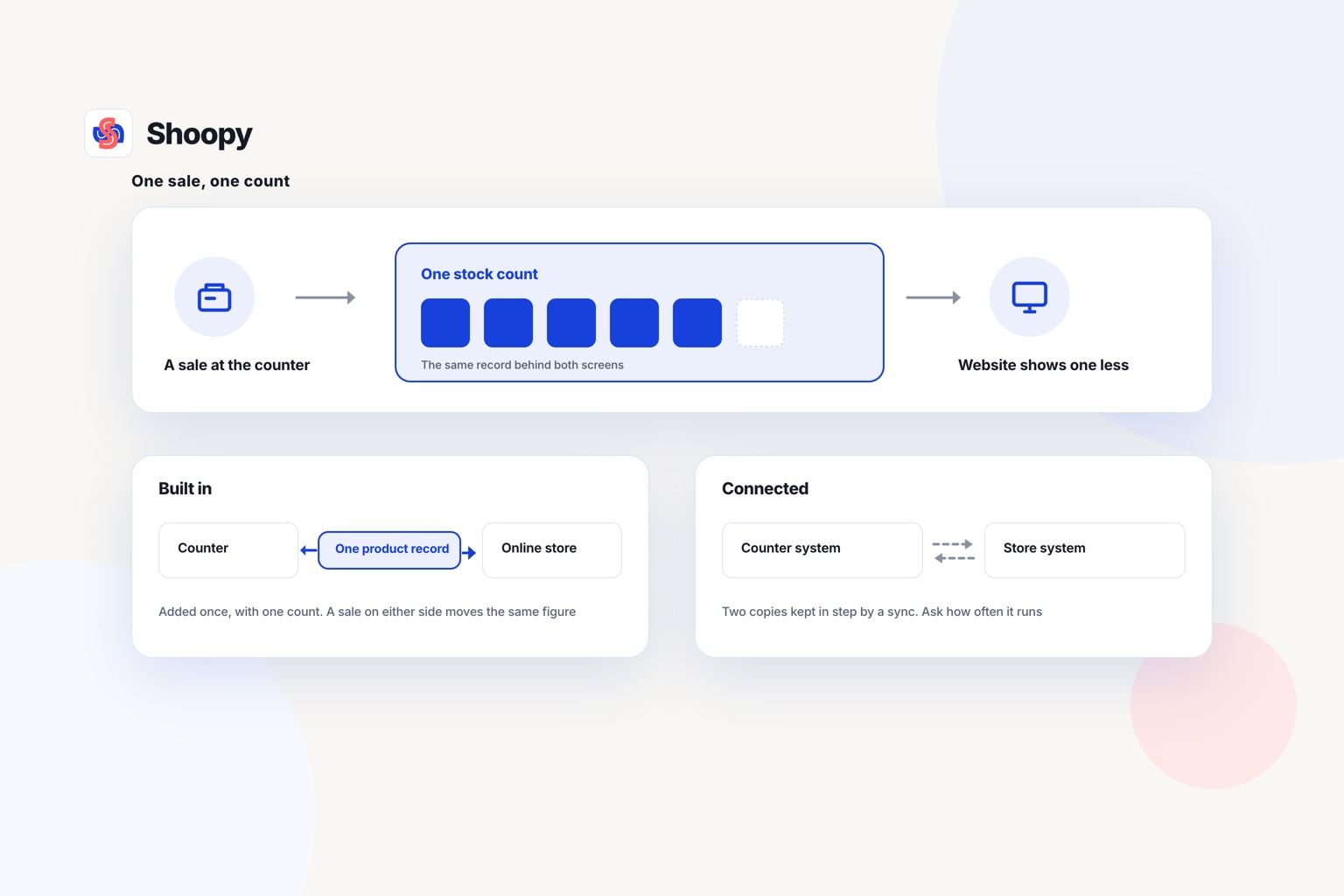
A POS with ecommerce keeps one stock count when the counter and the website read the same product record. Two copies that sync are a weaker setup.
What is a built-in POS and online store?
In a built-in setup, the counter and the online store are two screens on one system. A product is added once, with one price and one count. Sell it at either end, and that one count changes.
What is a connected POS and online store?
In a connected setup, the counter and the online store are separate systems. A plug-in or an integration copies each change from one to the other. If a copy is late or fails, the website can sell a unit that the counter has already sold.
Look for the words “built-in” and “sync” on each vendor’s page, and ask which one applies to your plan. The shared parts that matter most, one catalogue, one stock count and one order queue, are set out in managing online and offline retail together.
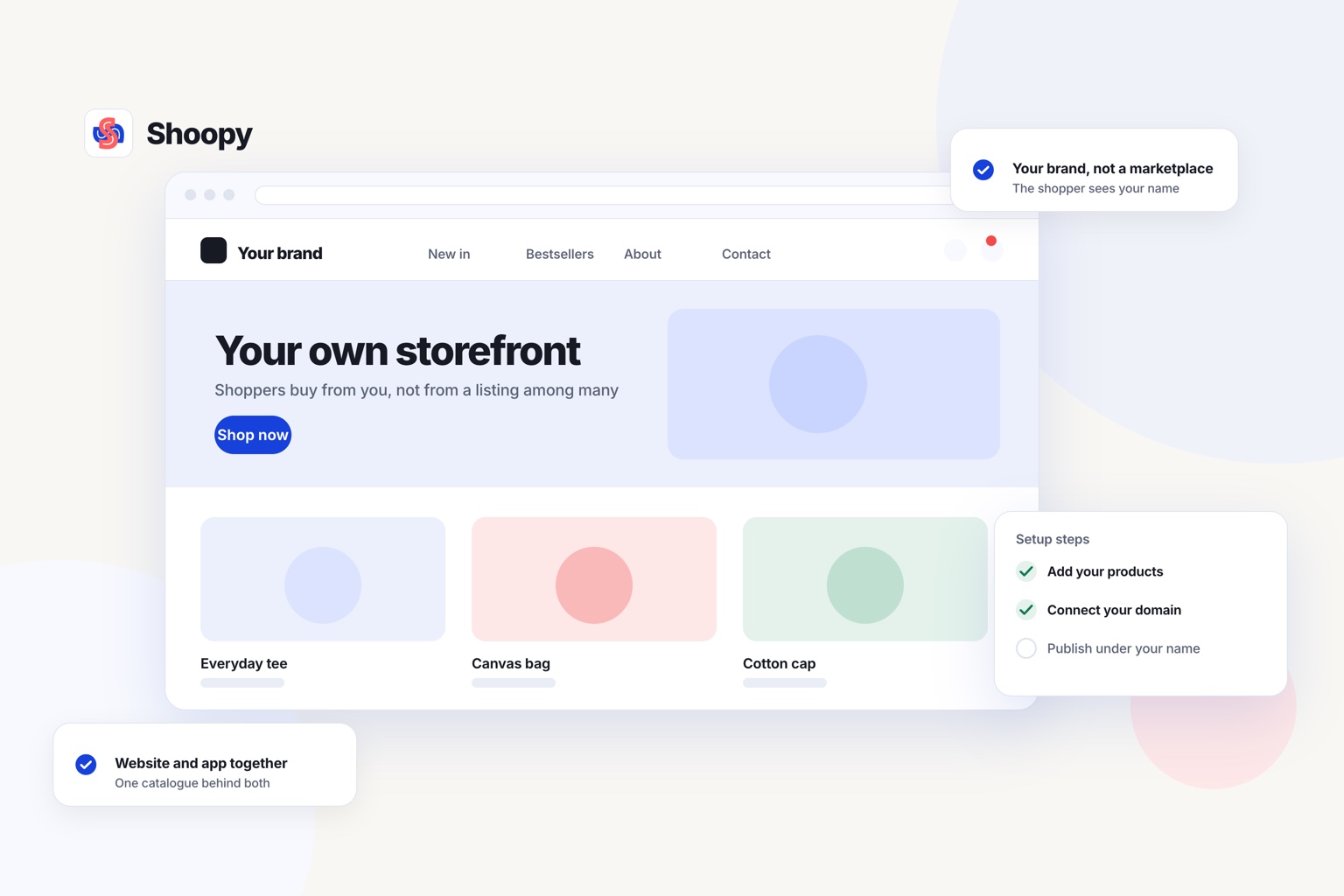
With Shoopy’s counter billing, the counter, the online store and your branded app read one catalogue. A shirt billed at the counter leaves the online count one lower.
Does the bill meet India’s GST rules?
Check this before anything else, because a bill that misses a GST field has to be corrected by hand afterwards.
A GST invoice carries your GSTIN, an HSN code for each item, and the tax split as CGST and SGST inside one state or as IGST between states. Read each vendor’s page for its India plan, because a page written for another market shows a different bill format and a different plan list.
Then check four things:
- Tax fields on the bill. Does the bill show CGST, SGST or IGST on each line, with an HSN code?
- Business buyers. Can the bill carry the buyer’s GSTIN when you sell to another business?
- Returns and filing. Does a return raise a credit note rather than a discount, and can the system export GSTR-1 data for your accountant?
- Hardware. Will your thermal or A4 printer, barcode scanner and cash drawer work with it?
If one of these fails, the other features cannot make up for it.
What should you test in a POS system for a retail shop?
Test five things during a trial or a demo: your real catalogue, a barcode, a busy-hour sale, a return and your printer.
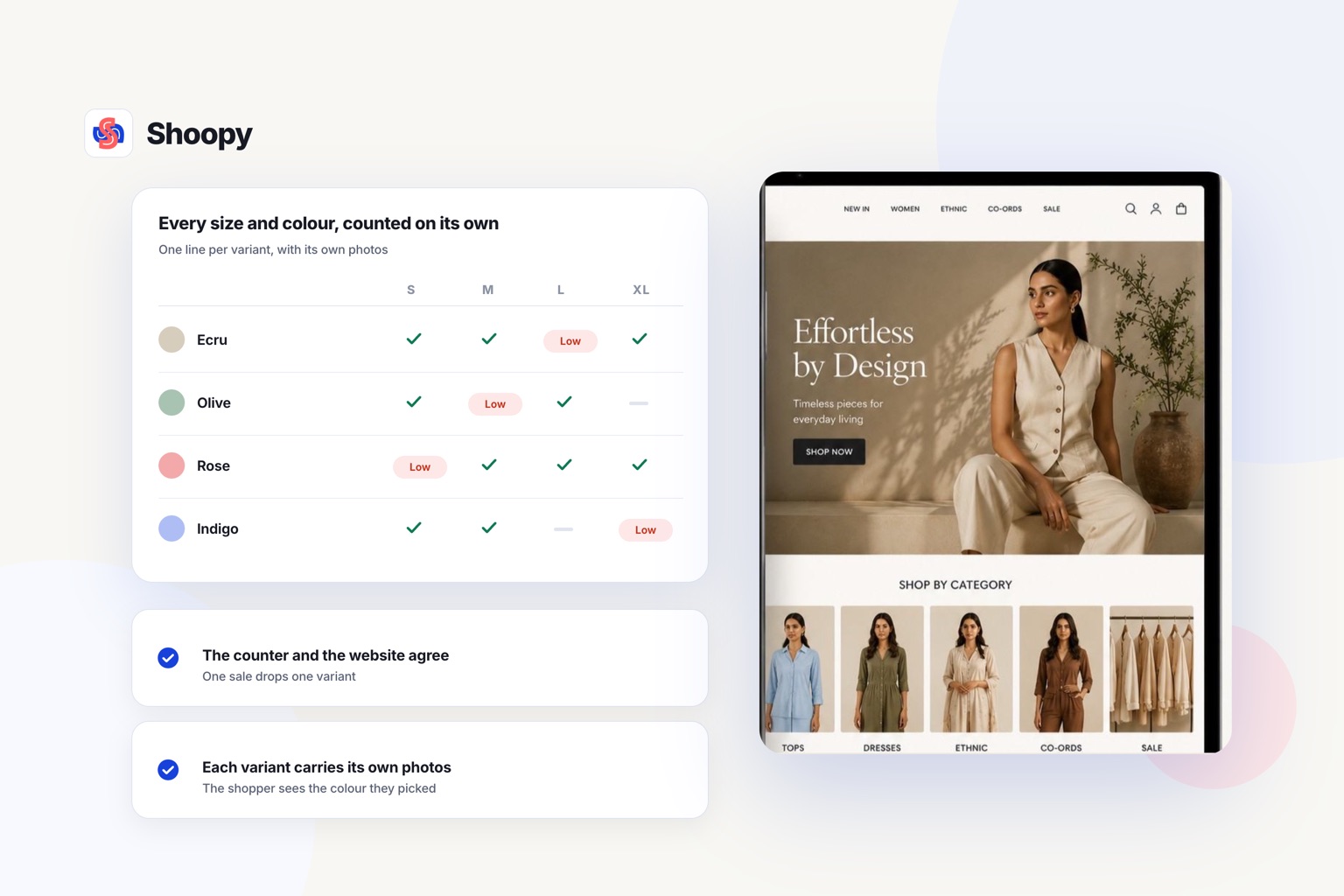
- Your real catalogue. Load a few products that come in sizes and colours. Each size and colour should get its own SKU (stock keeping unit, the code for one item you sell).
- A barcode. If your products carry a GTIN (Global Trade Item Number), use it as the one key at the counter and online. GS1 describes the GTIN as the number a company can use to uniquely identify each item it sells.
- A busy-hour sale. Bill ten items quickly at the counter. Then open the website and check that each count dropped.
- A return. Take back an online order at the counter. The unit should go back into the same count, ready to sell again.
- Your printer. Print a bill on the paper you use, whether a thermal roll or A4.
Then read the fee line on the vendor’s own page. See the table above for how each one charges.
What goes wrong when the counter and the online store keep separate stock, and how do you stop it?
The website sells a unit the counter already sold, and you have to cancel a paid order.
That is the first problem. There are three more:
- Prices differ. A price change made at the counter does not reach the website, so a buyer sees two prices for one product.
- Returns are not counted. A unit returned at the counter is never added back online, so the website shows it as sold out.
- Orders are missed. Counter sales and web orders sit in two lists, and staff miss one at the busy hour.
Each problem has the same fix. Keep one catalogue, one count for each shop, and one list of orders from every channel.
Before you buy, bill one product at the counter and change its price. Then check the website for both changes.
Which system suits which kind of shop?
The right POS with ecommerce depends on four things. Count your shops and your expected sales, check whether the online store is built in or an integration, and check whether you deliver your own orders.
- You sell mostly outside India. Read the Shopify POS row, then check that vendor’s page for the country you trade in. The other rows are built for Indian retail across more than one shop.
- You want the lowest fixed cost to start. Look in the table for the plan structure with no monthly fee per shop. Then count the processing fee on each payment.
- You run several shops and a warehouse. Read the per-shop charges in the table, because the bill can rise with each shop you add.
- You run a shop and deliver your own orders. Look for counter billing, an online store and delivery tools, such as delivery zones and a rider app, on one catalogue.
If your counter and your website still keep two stock counts, see how orders and stock run in one queue, and book a demo from that page.
Frequently asked questions
How should a shop count stock before switching billing software?
Count everything once, on a quiet day after closing, and enter that count as the opening stock in the new system. From the next morning, bill only in the new system. Running two systems side by side lets the counts drift, because each sale lands in only one of them.
What hardware do I need to bill at the counter?
You need a phone, tablet or computer that runs the billing software, and a printer for bills. A thermal printer takes a narrow roll, such as 58 mm or 80 mm, and an A4 printer suits longer invoices. A barcode scanner and a cash drawer are optional, but the scanner makes a busy counter faster.
Can you keep billing when the internet drops?
Ask the vendor directly, because the answer differs. Some billing software keeps working offline and syncs when the connection returns, while a cloud-only system stops at the counter. If your shop loses connectivity often, test it by disconnecting mid-sale during the trial rather than taking the answer on trust.
What is the difference between cloud and installed billing software?
Cloud billing software runs on the internet, so you open it on a phone, tablet or PC (personal computer) from any shop. Installed software runs on one computer and keeps its data there. With cloud software, an online store can read the same records over the internet.
Which is the best billing software for a retail shop?
There is no single answer, so judge it on four things: one stock count for the counter and the online store, the bill format your customers expect on the printer you own, billing when the internet drops, and the records your accountant asks for. Billing software with inventory that fails any of these costs more in corrections than it saves.