 Shoopy
 Best online ordering system for a local store in India (2026)
Which online ordering system suits a local shop in India: four compared, how each charges for an order, where ONDC fits and what the system must do for you.
Quick Answer: Dukaan, Shopify, Instamojo and Shoopy are four online ordering systems a local shop in India can compare. Choose one whose orders and stock count match your counter, then check whether it charges a fee on each sale or a flat plan. Shoopy keeps every order in one list against the counter’s stock count.
An online ordering system is the software that shows your products to customers, takes the order and the payment, and puts the order in front of your staff. For a shop, it must also know the stock on the shelf, the area you deliver to and the sales made at the counter. This guide reads each system from its own page and sorts them by the kind of shop, not by rank.
How do Dukaan, Shopify, Instamojo and Shoopy compare for a local shop?
Four systems a shop in India can use are Dukaan, Shopify, Instamojo and Shoopy, one per row below. Each row quotes the system’s own page.
| System | What its own page says |
|---|---|
| Dukaan | As of October 2026, Dukaan’s pricing page lists a service fee on sales of 4.99%, 3.99%, 1.99% or 0.99%, depending on the plan. Dukaan’s page says the fee does not apply to manual orders and has a cap on each order |
| Shopify | As of October 2026, Shopify’s India pricing page lists a fee of 2%, 1% or 0.6% for orders through third-party payment providers on its Basic, Grow and Advanced plans |
| Instamojo | As of October 2026, Instamojo’s online store page lists a Lite plan with no yearly fee and 5% plus a fixed amount on each transaction, plus GST |
| Shoopy | Shops that bill at a counter and deliver to nearby customers with their own riders. Plans and current prices are on the pricing page |
Two checks the table cannot make
First, ask whether the online ordering system sells from the same stock count as your counter. If it keeps its own count, someone must correct two numbers by hand every evening.
Second, ask what happens when you open a second shop. The system should show each customer the stock of the shop that serves their area.
Where WhatsApp ordering fits
A WhatsApp ordering system takes orders inside a chat. The customer sends a list, you reply with the total, and a staff member copies the order into a register.
This works while one person can read every chat. It fails when two chats ask for the last packet, because a chat cannot see the shelf. This guide on taking WhatsApp orders without the chaos shows how a product link replaces the copied order.
How does each online ordering system charge a local shop?
Each online ordering system charges in one of two ways: a fee on each sale, or a plan you pay for whether you sell or not. Some do both, with a plan and a smaller fee on each sale.
A fee on each sale is easy to start with. You pay nothing in a month when nothing sells.
But the fee grows with every order. If the fee is 2%, every 100 orders cost you the value of two orders. At 5%, the same 100 orders cost the value of five.
A flat plan works the other way. You pay the same amount at 50 orders a month or at 500, and an extra order adds no fee to the plan.
A worked example for one shop
Take a shop with 300 online orders a month. If the fee is 2%, those orders cost the value of six orders every month. Over a year, that is the value of 72 orders.
Compare that with the yearly cost of a plan, using last month’s real order count.
The payment gateway fee
A payment gateway is the company that moves an online payment into your bank account, such as Razorpay or PayU. It can charge its own fee on each online payment, on top of the system’s fee.
Some systems include that payment charge in their own fee, and some do not. Ask which applies before you compare two rows.
Where does ONDC fit for a local shop?
ONDC is not an ordering system you buy: it is an open network in India that links sellers to many buyer apps.
ONDC stands for Open Network for Digital Commerce. As of October 2026, ONDC’s website says sellers, buyer apps, logistics and payments connect through one open network, so products can be found across many buyer apps.
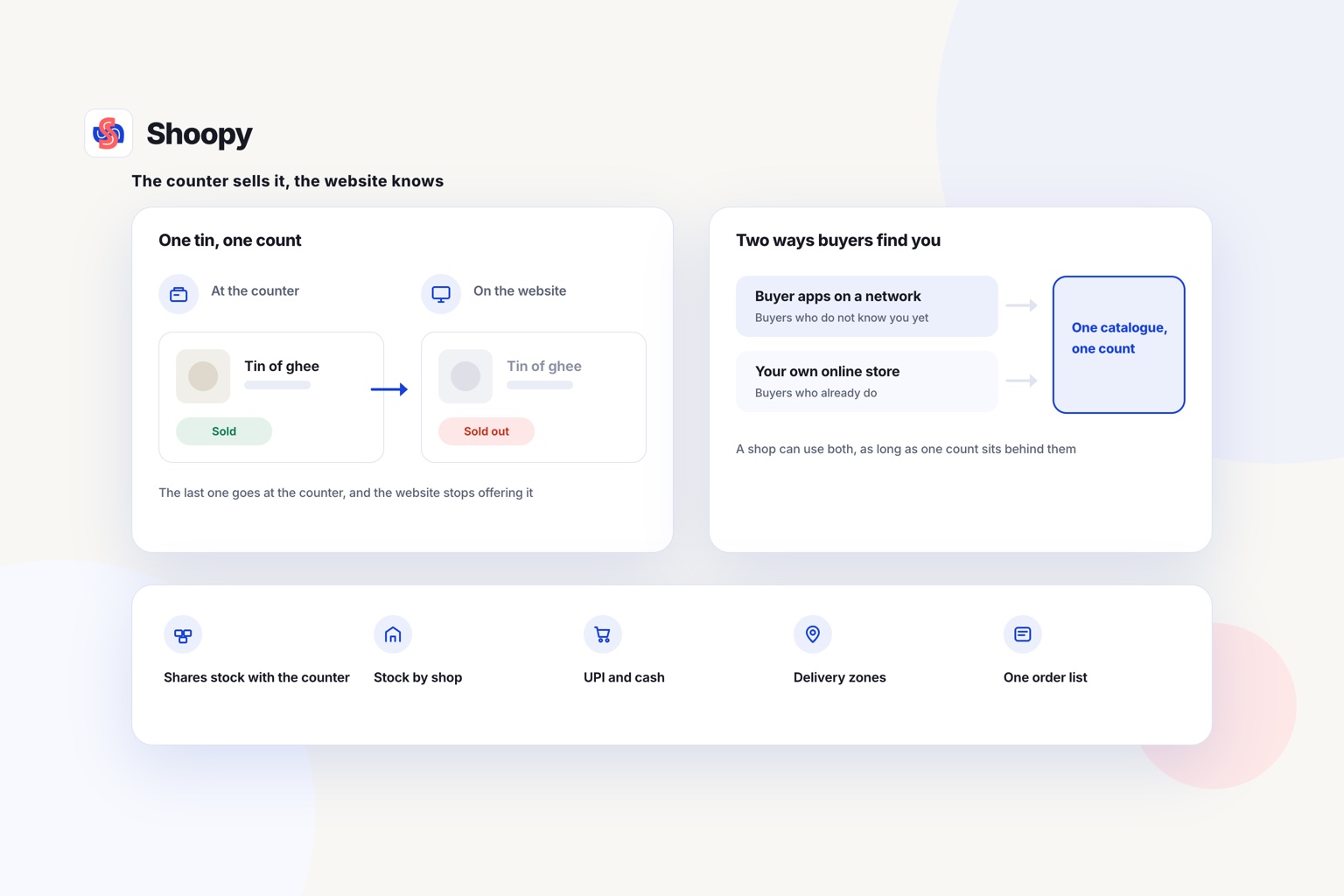
That makes ONDC a way for new buyers to find your shop. Your own online store serves the buyers who already know your name.
A shop can use both. Keep one catalogue and one stock count behind them, so an order from a buyer app cannot sell the packet a counter customer just bought.
What should a local shop’s online ordering system do?
It should do five things: share stock with the counter, show stock by area, take UPI and cash, deliver inside zones and keep one order list.
Share one stock count with the counter
A customer buys the last tin of ghee at the counter at noon. At 12:05, the online store should no longer offer it.
An online store on your own domain can read the same catalogue as your counter billing. One sale at either place then changes one count.
Show the stock of the nearest shop
With two or more shops, each shelf holds different stock. Location-based ordering asks for the customer’s pincode and shows what the shop serving that pincode can deliver.
Running several shops from one catalogue works this way: each shop keeps its own count, and the order goes to the shop that will fill it.
Take UPI and cash on delivery
In India, a buyer can pay online through UPI (Unified Payments Interface, which pays straight from a bank app). A buyer can also pay cash to the rider at the door.
Offer both, and test each one with a real order before launch. Asking for part of a cash-on-delivery order online, before dispatch, lowers the risk of a refused order.
Deliver inside zones you set
A delivery zone is an area around your shop with its own delivery charge. Draw the first zone small, at the distance your rider can cover in the time you promise.
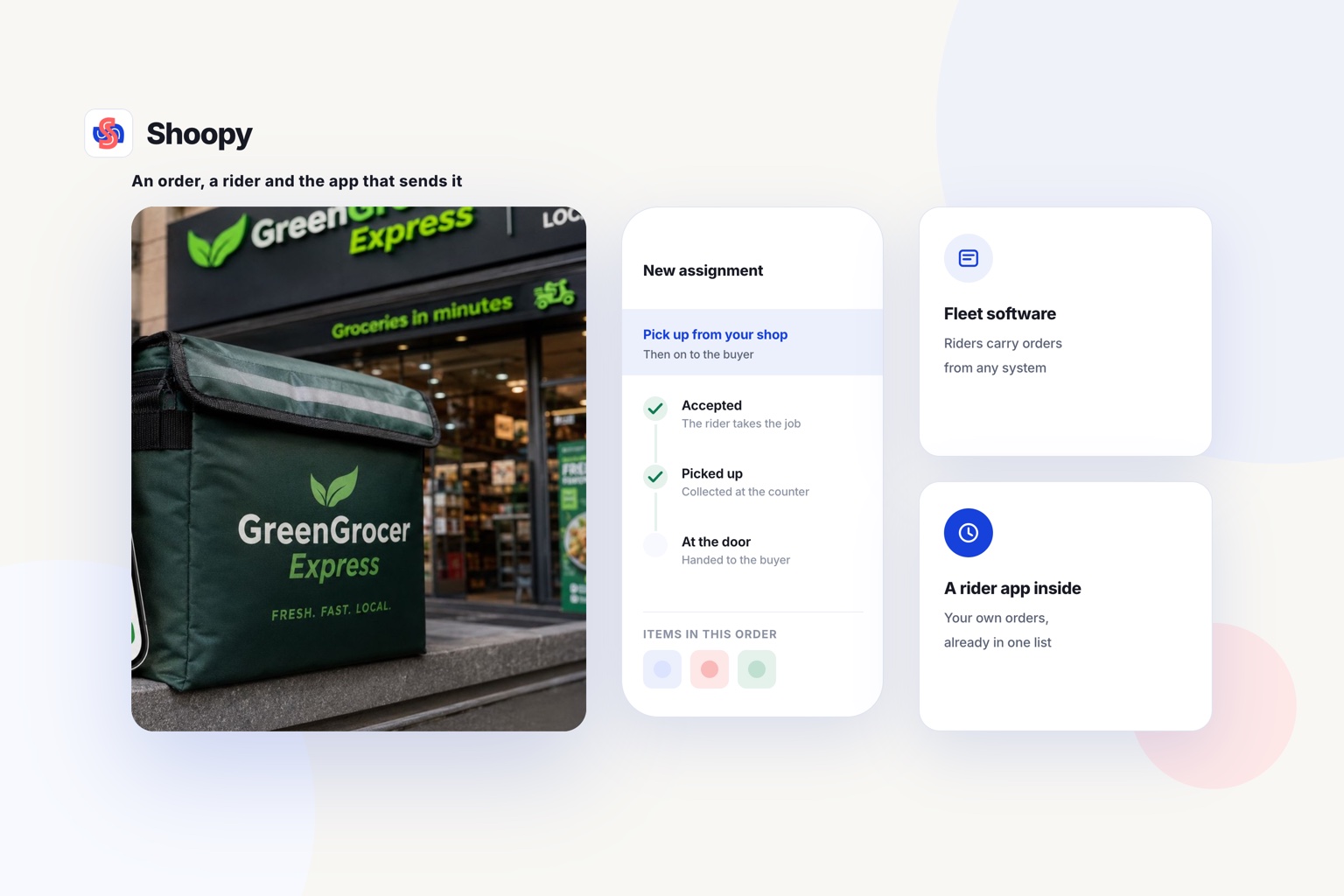
A rider app gives each rider the order and the customer’s address. Without one, every trip starts with a call to the shop.
Keep every order in one list
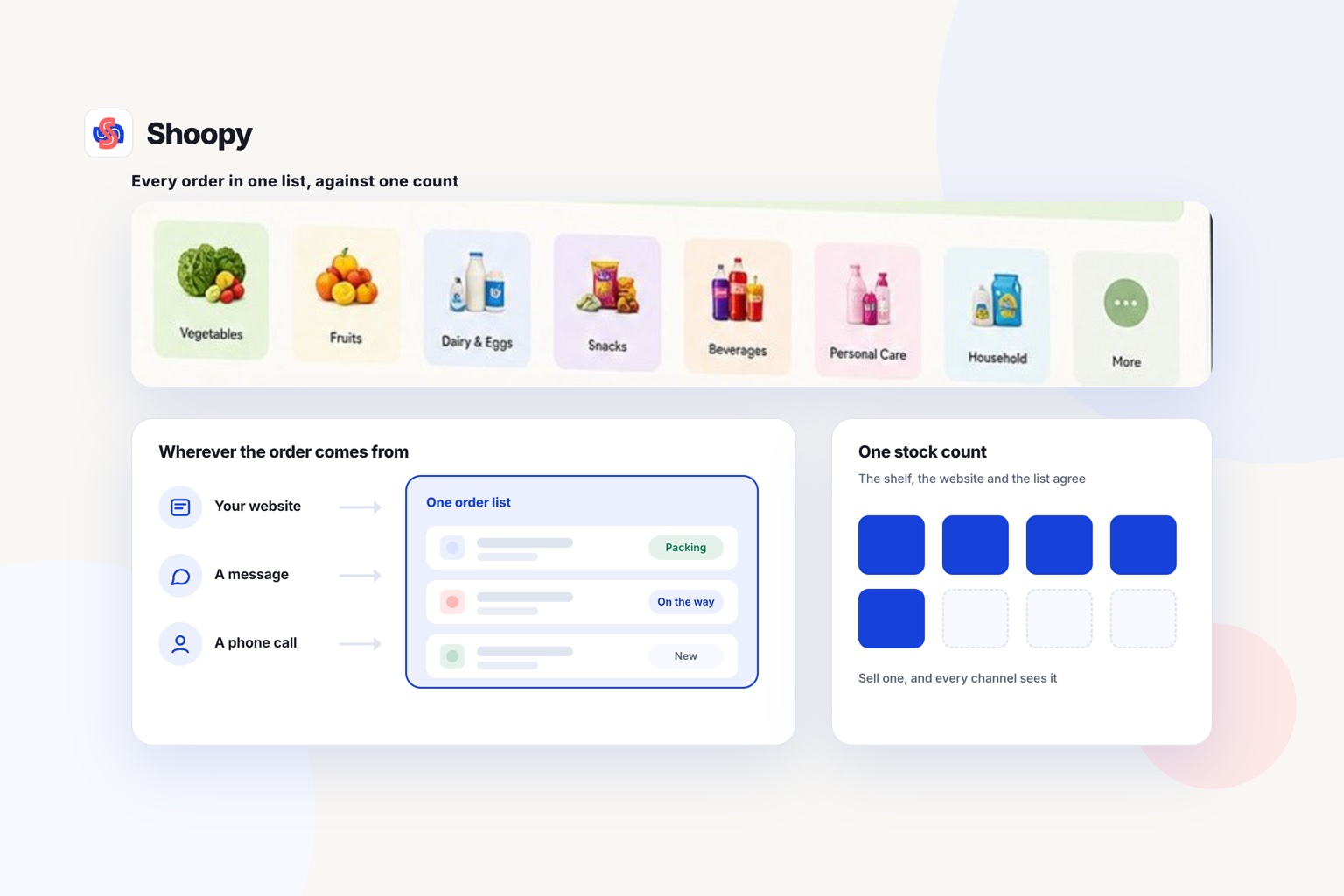
Orders from the website, the branded app and the counter should reach one list. Staff then pack from one screen, not from three.
What goes wrong when a local shop starts taking online orders, and how do you stop it?
Four problems are worth planning for: stock that does not match, zones drawn too wide, a payment account opened late and orders nobody sees. Each one has a plain fix.
The store sells what the shelf no longer has. This happens when the store and the counter keep separate counts. Use one count for both, and do a stock check before you open orders.
Deliveries arrive late. The zone was drawn wider than one rider can cover in the time you promise. Start with the streets around the shop, and widen the zone once riders arrive on time.
Payments are not ready on launch day. A new payment gateway account checks your business documents before it pays out. Start that paperwork first, before you print a QR code or tell a single customer.
Orders sit unseen on a phone. An order that only shows on the owner’s phone waits until someone looks. Put the order list on the counter screen, and switch on a sound for each new order.
Which online ordering system fits which kind of local shop?
Match the system to the shop you run today: one shop or several, a counter or none, and steady orders or a few. The list below follows the kind of shop, not a ranking.
- One shop with a counter, delivering to nearby streets. Choose an online ordering system where the counter, the online store and the order list share one catalogue.
- Several shops under one name. Check that stock is counted per shop and that each order reaches the shop serving that pincode.
- A few orders a month and no counter system. A fee on each sale can cost you less than a plan while orders are few.
- You want new buyers more than repeat buyers. Join ONDC through a seller app, and keep your own store for the buyers who come back.
For a shop with a counter
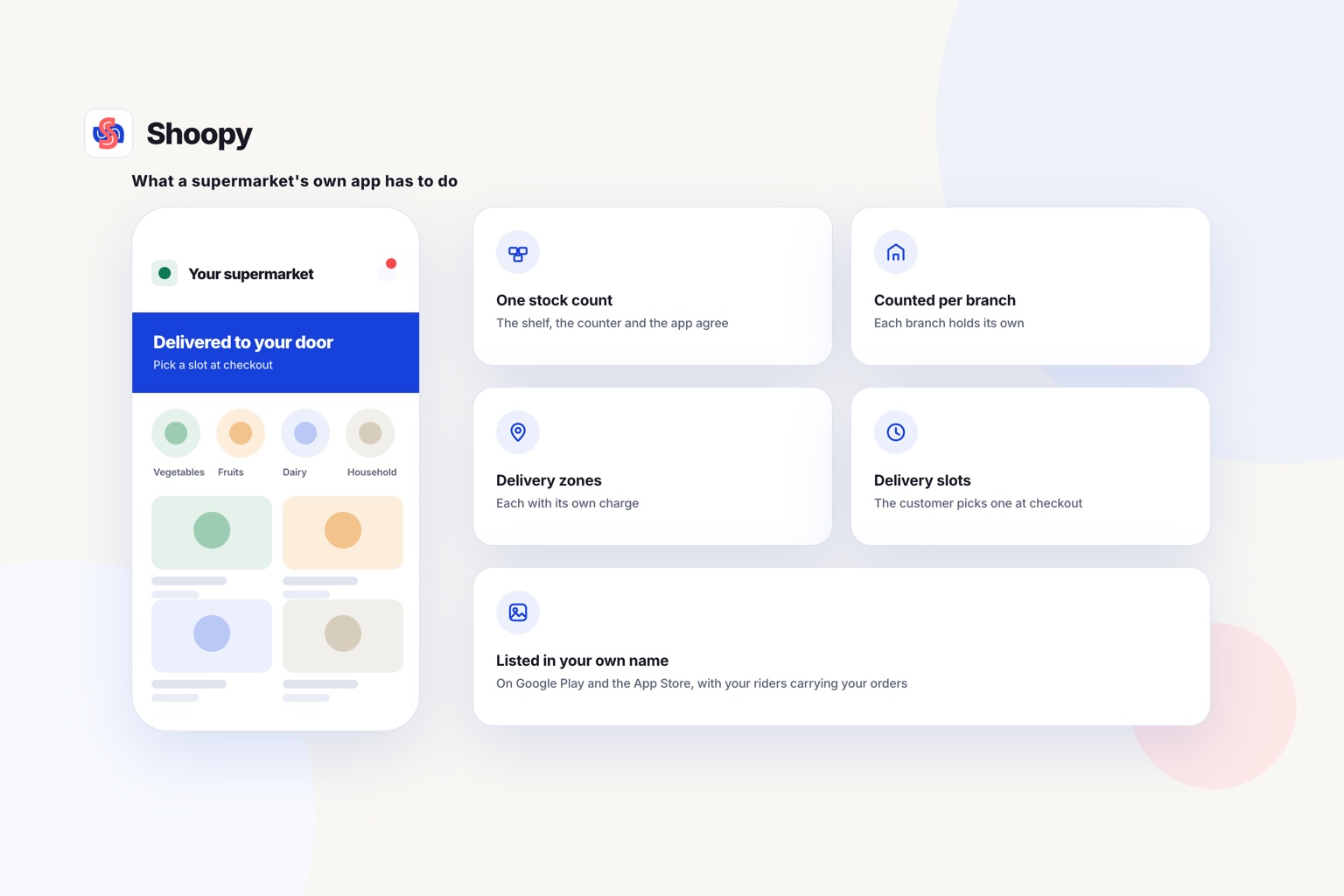
Shoopy fits a shop that bills at a counter and delivers with its own riders. The online store, a branded app under your shop’s name and counter billing read one catalogue. You set delivery zones with a charge for each, and riders take orders in a rider app. Each online order gets a GST invoice, as a counter sale does.
Orders from the website, the app and the counter reach one list.
One boundary is worth stating plainly. Your own store serves buyers who already know your shop. It does not show your shop to new buyers the way a marketplace does.
Another system can also fit better. A shop with a small catalogue and very few orders a month may find that Dukaan suits it better for now.
Does your shop bill at a counter and deliver nearby? See how orders from your website, app and counter reach one list, and book a demo from that page.
Frequently asked questions
Is a WhatsApp ordering system enough on its own?
Only while one person can read every chat. WhatsApp shows messages, not stock, so it cannot stop two buyers from ordering the last packet. Once orders arrive faster than one person can answer, send each buyer a product link from an online store, where the buyer sees the stock and pays by UPI.
What is a minimum order value, and should a shop set one?
A minimum order value is the smallest bill a customer must reach before delivery is offered. It stops a rider from making a trip for 1 packet of biscuits. Set it from your own numbers: the cost of one delivery trip against the margin on a typical small bill.
How many products should a shop list before it starts taking orders online?
Start with what sells every week, not the whole shelf. Take last month’s counter bills, list the top 100 items by sales, and give each one a clear photo, a price and a stock count. Add the rest in batches once the first orders are packed and delivered without mistakes.
What is an ONDC seller app?
An ONDC seller app is the software that onboards a shop to the Open Network for Digital Commerce. Once your shop is onboarded, buyer apps on the network can show your products. Before you join, ask the seller app what it charges, who delivers the order and where you will see each new order.
Should a shop offer delivery slots for online orders?
Yes, once orders come in faster than staff can pack them one by one. A delivery slot is a time window, such as 5 pm to 7 pm, that the customer picks at checkout. Slots let staff pack a batch before riders leave, so set each slot’s size to what your staff can pack.