 Shoopy
 Ecommerce platforms in India with delivery zones and delivery charges (2026)
Four ecommerce platforms that let you set delivery zones for online store orders, how each marks out a zone and sets its charge, and what to test first.
Quick Answer: Shopify, WooCommerce, Wix and Shoopy are four ecommerce platforms that let you set delivery zones for online store orders with a charge per zone. They differ in how a zone is drawn and charged; a shop with its own riders needs zones around the shop, not country-wide rates. Shoopy sets delivery zones with a charge for each zone.
A delivery zone is an area you choose to deliver to. A delivery charge is what the customer pays to get the order there. At checkout, the store matches the customer’s address to a zone and adds that zone’s charge.
The four platforms below are listed in no order of rank. Each rival’s facts come from its own help page.
How do Shopify, WooCommerce, Wix and Shoopy set delivery zones and charges?
The table shows which of these let you set both. Each row reports what that vendor’s own page says about zones and charges.
| Platform | Zones and charges (from the vendor’s own page) | Check before you choose |
|---|---|---|
| Shopify | As of October 2026, Shopify’s local delivery help page lets you set up to 10 zones per place you deliver from, by radius or postal code, each with its own price, and charges the lowest price where zones overlap | How many zones each of your shops needs |
| WooCommerce | As of October 2026, WooCommerce’s shipping zones guide builds zones from countries, states, continents or postal codes, uses the first zone in your list that matches, and includes Flat Rate, Free Shipping and Local Pickup | That your smallest zones sit at the top of the list |
| Wix | As of October 2026, Wix’s local delivery help page marks out an area by radius, postal codes, a drawn map or cities, with a flat rate or a rate by weight, price or quantity, and optional time slots | Which of the area methods fits your streets |
| Shoopy | Shops that deliver nearby with their own riders: delivery zones, each with its own charge, plus delivery slots and a rider app. Plans and current prices are on the pricing page | Whether most of your customers live within reach of your riders |
What changes the delivery charge in each row?
Read the middle column for two things: how a zone is marked out, and what can change the charge. Then test the last column against the streets you really deliver to.
How do platforms mark out a delivery zone?
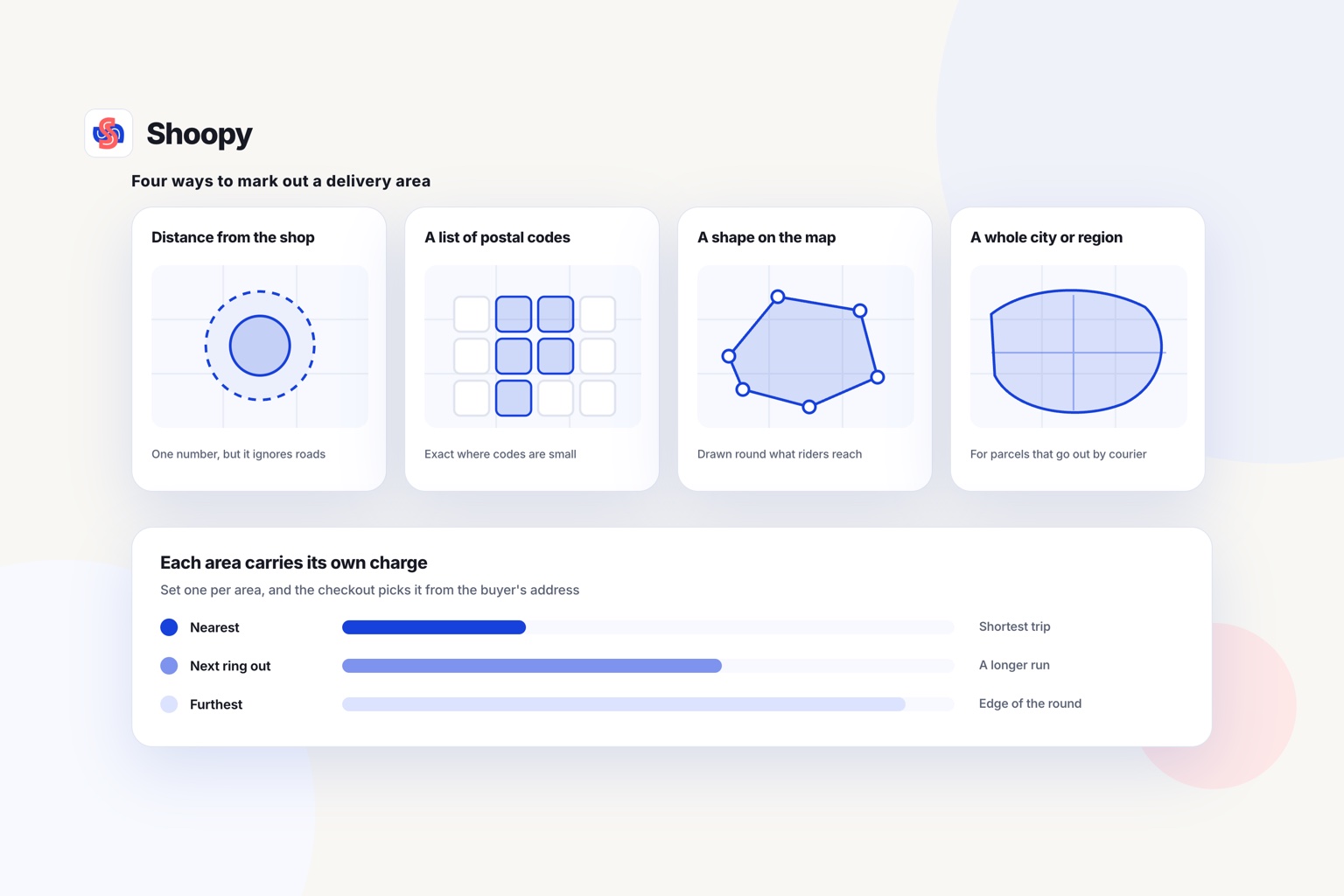
The platforms in the table use four methods: distance from the shop, postal codes, a map shape, or a whole city, state or country.
Distance from the shop
A radius zone covers every address within a set distance of your shop, such as 3 km. You enter one number, so it is quick to set up.
A radius is a circle around the shop, so it does not follow the roads. Draw rings of different sizes, such as 0 to 3 km and 3 to 6 km, and give each ring its own charge.
A list of postal codes
A postal code zone covers the codes you list. A customer’s address matches the zone when its postal code is on your list.
This works well where one code covers a small area. Where one code covers a large district, a radius or a map shape is more exact. Check whether your platform accepts a group of codes in one entry, or only one code at a time.
A shape on the map
Some platforms let you draw the zone on a map. The edge can follow a main road, a river or the boundary of a housing estate.
A drawn shape suits a shop whose riders cannot cross a highway or a railway line easily.
A city, state or country
Larger zones cover a whole city, state or country. Stores that ship by courier use them, because the courier plans the route, not your rider.
How is the delivery charge worked out for each zone?
The platforms in the table set a zone’s charge in three ways: flat, by order value, or by weight or item count.
A flat charge per zone
Every order to the zone pays the same charge. Customers understand it at once.
Base the flat charge on the time one trip to that zone takes, not on distance alone. A short trip through heavy traffic can take longer than a longer trip on an open road.
A charge by order value
The charge drops, or disappears, as the order value rises. Orders under a set value pay the full charge, larger orders pay less, and the largest pay nothing.
This rule gives customers a reason to add items. It also stops small orders from costing you more than they earn.
A charge by weight or item count
Heavy or bulky orders cost more to carry. A charge by weight, or by the number of items, covers a 20 kg sack of rice better than a flat charge.
A minimum order
A minimum order value stops delivery for baskets too small to pay for the trip. Where the platform shows the minimum at checkout, the customer can add items to reach it.
Zones and charges together
On Shoopy, each delivery zone carries its own charge, and a kitchen can set delivery zones with their own charges in the same way as a grocery shop.
Local delivery or shipping zones: which does your store need?
Use local delivery zones when your own riders carry orders from the shop. Use shipping zones when a courier carries them to other cities or countries.
Local delivery zones are small and drawn around one shop. The charge pays for your rider’s time and fuel, and the order can arrive the same day.
Shipping zones are large: a state, a country or a group of countries. The charge follows what the courier charges you for that region and parcel weight.
A shop can run both. Nearby addresses get local delivery, and every other address gets courier shipping.
For grocery shops that deliver fast, this comparison of quick-commerce software sorts platforms by the job each one is built for.
What should you check before you set delivery zones for online store orders?
Check five things first: your real delivery area, your cost per trip, your charge rule, your slots and a test order from each zone.
- Your real delivery area. If you already deliver, mark last month’s delivery addresses on a map. Draw zones around those addresses, not around a circle you guess.
- Your cost per trip. Add up rider pay, fuel and packing for one trip to each zone. That total is the floor for the zone’s charge, unless you choose to cover part of it.
- Your charge rule. Pick one rule for each zone and write it down for your staff. Then everyone gives a customer on the phone the same answer.
- Your slots. If you offer delivery slots, open only the slots your riders can meet in each zone. A far zone may need fewer slots than a near one.
- A test order from each zone. Place one test order from the centre and one from the edge of every zone. Check the charge, the slot and the message at checkout.
Delivery zones for online store orders also need an owner. Name one person who changes zones and charges, so two staff members never edit them on the same day.
What goes wrong when you set delivery zones and charges, and how do you stop it?
Four problems are worth planning for: overlapping zones, addresses outside every zone, a charge below the trip cost and one delivery promise for every zone.
Two zones cover one address
When zones overlap, the platform must choose one zone for that address. The table shows the rule for Shopify and WooCommerce. On any other platform, test an address that sits inside both zones. Then remove the overlap, or keep it on purpose and set the charges to match.
Addresses that fall outside every zone
A customer just outside your zones may leave without ordering. Decide what that customer sees: courier shipping, pickup from the shop, or a clear message that you do not deliver there.
A charge below the trip cost
A low charge brings orders, but each far order can lose money. Compare each zone’s charge with its cost per trip at regular intervals. Raise the charge, or add a minimum order, when your costs rise.
One delivery promise for every zone
The same delivery time for every zone means the far zone runs late first. Give each zone a delivery time that matches its trip.
Which platform fits which kind of shop?
Match the platform to how your orders travel: with your own riders, with a courier, or both.
- Your store already runs on another platform. Use the zone settings you already have, and read that platform’s row in the table.
- You ship to many countries. Compare each platform’s shipping settings, not only its local delivery settings.
- You want a shape on the map or a whole city as a zone. Read the table for the platform that lists those methods.
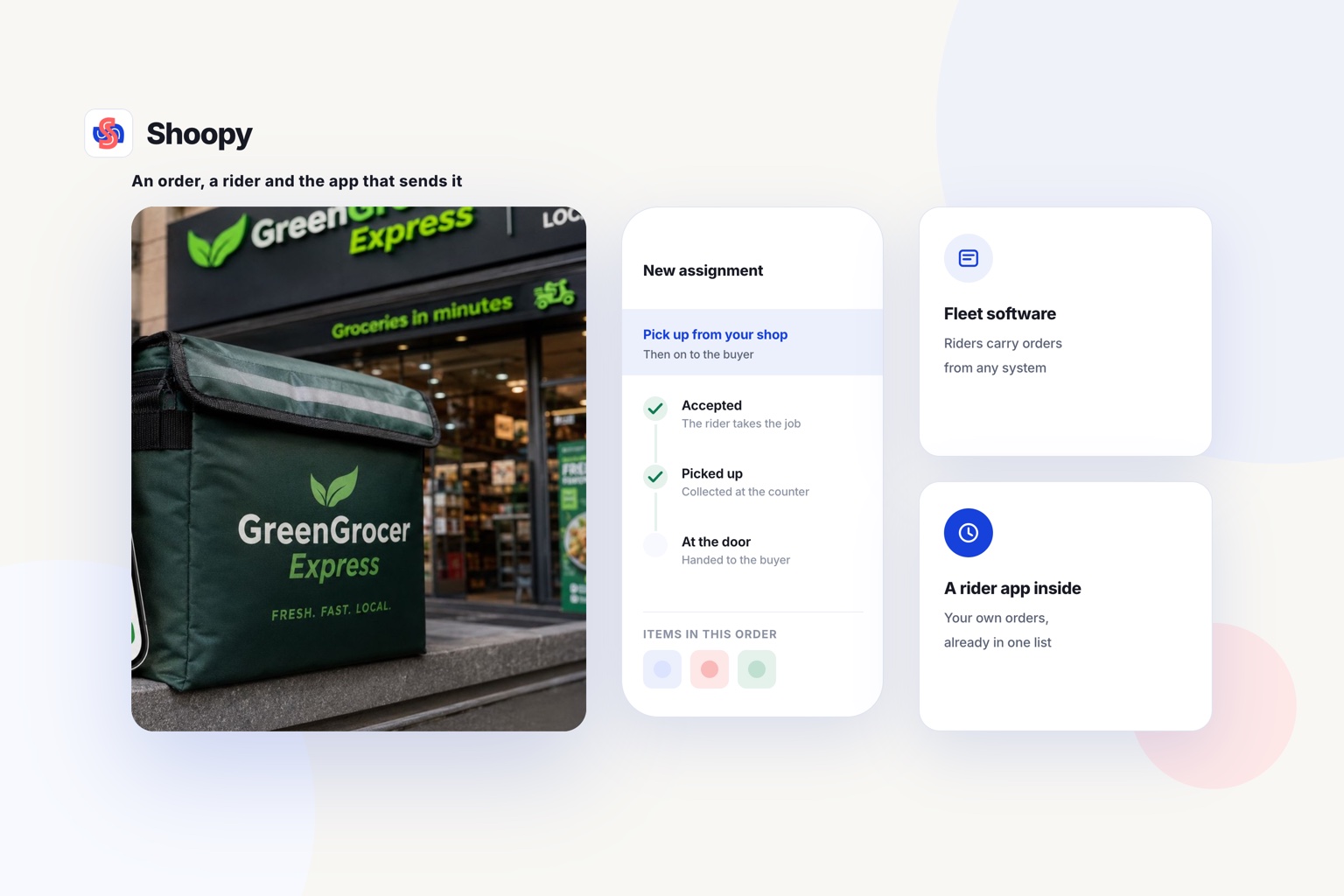
- You run a shop that delivers nearby with its own riders. Look for zones with their own charge, delivery slots and a rider app on one order list.
Shoopy works the last way. A business with several shops can also use location-based ordering, which shows each customer the shop that serves their area.
Here is the limit, stated plainly. It describes itself as an India-first ecommerce platform. A store that ships mostly to other countries by courier should compare each platform’s shipping settings first.
If your website, app and counter orders still sit in separate lists, see how orders from every channel land in one queue. You can book a demo from that page.
Frequently asked questions
How much should I charge for local delivery?
Start from your cost for 1 trip: the rider’s time, fuel and packing, divided by the orders a rider usually carries on that trip. Charge at least that amount, or cover part of it yourself to get more orders. Check the figure again whenever fuel prices or rider pay change.
Should I offer free delivery above a minimum order value?
Yes, if the profit on that order covers the trip. Work out the order value at which your profit on the items pays for 1 delivery, and set the threshold at or above it. Below that value, charge the zone’s normal fee, so small orders do not cost you money.
Can I charge more for heavy or bulky orders?
Yes, a charge by weight rises as the parcel gets heavier, for example one charge up to 5 kg and a higher one above it. A charge by item count works the same way. Both suit shops that sell sacks of rice, water cans or furniture alongside small items.
What should a customer outside my delivery zone see?
They should see a clear message on the cart page, before they pay. Offer courier shipping or pickup from the shop, or else show the postal codes or the map area you serve. The customer can then try 1 other address, such as an office inside your zone.
How many delivery zones should you start with?
Start with 2 or 3 zones. A near zone gets the lowest charge and the fastest delivery, a middle zone costs more, and a far zone covers the edge of where your riders can go. Add a zone only when orders from a new area arrive every week.